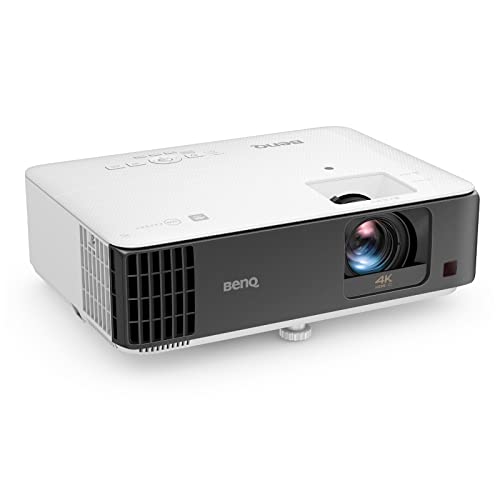
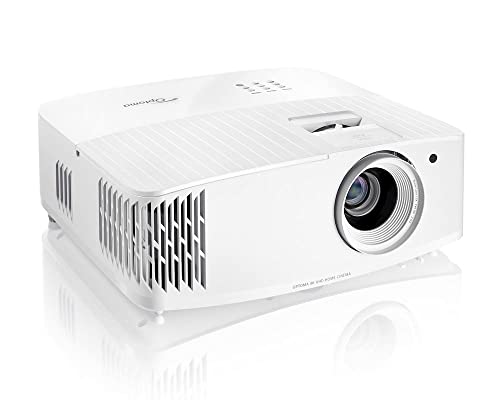
Input lag is the spec that matters most for gaming projectors. Input lag measures the delay between your controller input and the image appearing on screen. Under 20ms feels instantaneous for most people, and the BenQ TK700STi's 4.2ms at 1080p/240Hz is faster than many gaming monitors. At 4K/60Hz, the same projector hits 16ms, which is excellent for immersive single-player games where you want the sharpest image. The key is understanding that most gaming projectors offer a trade-off: lower resolution and higher refresh rate for competitive play, or higher resolution and lower refresh rate for cinematic gaming.
4K/60Hz vs 1080p/120Hz+: The Gaming Trade-Off
Most current-gen console games target either 4K/60fps (quality mode) or 1080p/120fps (performance mode). Gaming projectors let you choose: the BenQ TK700STi and Optoma UHD38x both support 4K/60Hz for gorgeous visuals and 1080p/240Hz for competitive speed. For story-driven games like God of War or Zelda, 4K/60 on a 120-inch screen is breathtaking. For Call of Duty or Fortnite, 1080p/120+ is smoother and more responsive. The good news is you can switch modes per game.
Projectors Won't Replace Monitors for Esports
If you play competitive FPS titles at a tournament level, a 240Hz gaming monitor is still the tool for the job. Projectors excel at a different kind of gaming: immersive single-player experiences, couch co-op with friends, sports games during watch parties, and racing sims where screen size dramatically improves the experience. The scale of a 100-150 inch projected image creates a level of immersion that no desk monitor can match, even if the pixel density and response times are technically better on a monitor.
Room Setup for Gaming Projection
For gaming, you want the projector positioned so players do not cast shadows on the screen. Short-throw projectors solve this by sitting close to the screen. Ceiling mounting a standard-throw projector is the other option. Light control matters for contrast but is less critical than for home theater, since games tend to be brighter than movies. A good game mode on your projector should disable post-processing that adds lag while preserving color accuracy. Check our home theater page if your room will pull double duty for movies and gaming.